Chapter 3
Application software for communication
It is an application or program that is design to pass information from one system to another. There are some ways of communication software these are following:
- Web browser
- Chat rooms
- video conferencing
- FTP
- Newsgroups
- Instant messaging
- blogging
E-mail: Electronic mail (e-mail) is a simple process in which digital information can be sent, received, forwarded. By using internet e-mail can be sent anywhere at any time. Simply an e-mail is a message sent from one computer to another over the internet. For example: An e-mail is a happy birthday message send from their yahoo account to their mother at her G-mail account. Friendly e-mails are the mails that you send to your friends and family.
Types of e-mail:
Basically there are types of e-mail services.
1. Client based e-mail: Client based email means you need a program in your computer. Example of email clients are outlook express, Microsoft outlook, etc.
2. Web Based email: To utilize the web based email services, first we have to register to get a free account. Web based emails are checked from any computer that are connected to internet. For this benefit web based emails are widely used.
Advantages:
It is effective and cheap means of communication. We send a single message to multiple people at the same time. Email are very easy to write, as there is no need of any kind of paper.
Disadvantages:
Major disadvantage is viruses that are easily spread through email attachments. Sending email by mistake, at a click of button an email can go to wrong person accidently.
Web Browsing
Web browsing: A web browser, or simply browser is an application used to access and view websites. Common website include Microsoft Edge, Internet Explorer, Google Chrome, Mozilla Firefox and Apple Safari.
Example: Ajax enables a browser to dynamically update information on a webpage without the need to reload the page.
Types of web browser:
Web browser include
1. Internet explorer
2. Google chrome
3. Mozilla Firefox
4. Safari
5. Opera
Function of web browser:
The main function of web browser is to fetch information resources from World Wide Web to user on demand, translate these files that are received from the world website and display that information to user. Components of web browser:
• The user interface
• The browser engine
• The rendering engine
• Networking
• UI backend
• JavaScript interpreter
• Data storage
Features:
Most browser have these user interface features:
• Allow the user to open multiple pages at the same time.
• Back and forward button to go and back to previous pages.
• A reload button and stop button to reload and cancel loading the current page.
• A home button to return to home page.
• An address bar to input the URL of a page and display it.
Chat Rooms:
A chat room is a web site, or a part of an online service such as America online, that offers a venue for communities of user with a public interest to communicate in actual time. The message is nearly proximately see in the larger communal message area and other user returns. Chat rooms consents people to communicate with each other in an exclusive way. They are used for conferencing between each other, as well as for meeting with people for conversation on any and every subject possible.
Example:
Chat rooms are internet Relay Chat (IRC) and Web sites such as Talk City (www.talkcity.com). Amongst other groups, chat rooms request to adolescents and teenagers, who communicate with others and use features to send files to one more online.
Video Conferencing:
Video conferencing is live, static connection between two more remote parties over the internet that inspires a face-to-face meeting. It is important because it join the people face-to-face. Video conferencing gives transmission of inert images and text among two locations. Is provides high quality audio between multiple locations.
The process of conferencing can be divided into two steps
• Compression
• Transfer
During compression, the webcam and microphone detention analog audiovisual (AV) input. The data collect into the forms of continuous waves of frequencies and amplitudes. These displays the capture sounds, colors, brightness, depth and shades. It enables the capture AV input to travel faster over broadband or Wi-Fi internet.
During transfer, the digitally crushed data is sent over the digital networks to receiving computer. Once it touches the endpoint, the codecs convert it back into analog audio and video. It supports the receiving screen and speakers to correctly view and hear the AV data.
Tools:
1. Zoom
2. Skype Meet Now
3. Google Hangouts
4. Google Meet
5. GoToMeeting
6. Blue jeans
7. Cisco Web Meetings
Example:
A university was looking for way to allow remote students to use their personal technology to participate in class room activities. The educational institution effected cloud-based video conferencing that improved collaboration and contact for distance learning. Because student get opportunities to understand what is going on in the class room instead of just hearing the lecture.
Instant Massaging
Instant messaging technology is a sort of online visit that offers ongoing content transmission over the Internet. A LAN courier works along these lines over a neighborhood. Short messages are normally communicated between two gatherings, when every client decides to finish an idea and select “send”. Some instant messaging applications can utilize push innovation to give continuous content, which sends messages character by character. Further developed texting can add document move, interactive hyperlinks, Voice over IP, or video visit. Texting is a set of communication technologies used for text-based communication between at least two members over the Internet or different sorts of networks. IM–talk occurs progressively. Of importance is that online chat and instant messaging differ from other technologies such as email due to the perceived quasi-synchrony of the communications by the users. Some systems permit messages to be sent to users not then ‘logged on’ (offline messages), thus removing some differences between IM and email (often done by sending the message to the associated email account). Instant messaging allows effective and efficient communication, allowing immediate receipt of reply. However, instant messaging is basically not necessarily supported by transaction control. In many cases, instant messaging includes added features which can make it even more popular. For example, users may see each other through webcams, or talk directly for free over the Internet using a microphone and headphones or loudspeakers.
Language: Users sometimes make use of internet slang or text speaks to abbreviate common words or expressions to quicken conversations. The language has become widespread, with well-known expressions such as ‘lol’ translated over to face-to-face language. Emotions are often expressed in shorthand, such as the abbreviation LOL, BRB and TTYL; respectively laugh(ing) out loud, be right back, and talk to you later. Some, however, attempt to be more accurate with emotional expression over instant messaging. Real time reactions are becoming more popular. Also there are certain standards that are being introduced into mainstream conversations including, ‘#’ indicates the use of sarcasm in a statement and ‘*’ which indicates a spelling mistake and/or grammatical error in the prior message, followed by a correction.
Blogging
Blogging refers to writing, photography, and other media that’s self-published online. Blogging started as an opportunity for individuals to write diary style entries, but it has since been incorporated into websites for many businesses. The word blog is actually a shortened name of its original name weblog. These weblogs allowed early internet users to log the details of their day in diary style entries. The content of blogs varies significantly. For example, travel blogs may feature many pictures with few written passages, while political blogs may weigh in with wordy takes on the news of the day. The popularity of YouTube and similar sites also gave rise to video blogging. Blogging is pretty much as basic as getting a site and distributing unique substance on it. Educated bloggers can purchase an area name and assemble the actual site. Those with less HTML information can make a record with locales like Word Press that improve on the website architecture and distributing measure. Sites are generally straightforward sites. More seasoned pieces might be filed in independent areas of the website, and there might be a different page with contact information or a bio, yet the actual blog is normally a solitary page that can be looked through like the news source via online media destinations like Facebook. Similarly as with a Facebook news channel, a blog shows the most current substance at the highest point of the page. The entirety of the posts on a blog is normally made by a single creator. Notwithstanding, when an organization or association keeps a blog, it might pay for blog content either by recruiting a group of scholars or purchasing substance to post.
FTP (File Transfer Protocol)
FTP represents a File Transfer Protocol. It is a standard internet protocol provided by TCP and IP which is used to transfer file from one administrator to another. File Transfer Protocol is most secure way to exchange the files over the internet. The files that are transfer from client computer to server computer is called ‘Uploading’. On the other hand, the files that are transferring from server computer to client computer is called ‘Downloading’. FTP does not really move, it copies the files from one computer to another. FTP provides file sharing. It is used to promote the use of remote computers. It transfer the information reliably and effectively. Although transfer file from one computer to another is very easy but sometimes it can cause problem. For instance, two computers may have different files assemblies. Two computers can have different ways of representing text and data. Two programs may have different directions structures. The FTP protocol overcomes these issues by establishing connections between hosts.
Types of connections in FTP:
There are two types of connections in FTP:
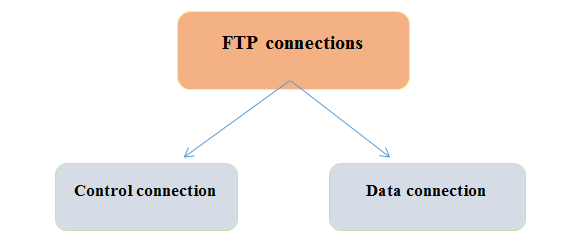
• Control connection: The control connection use very easy communication rules. With a control connection, we can transfer the command line or response line in time. Control connections are made between control processes. The control connection remains connected throughout the FTP session.
• Data Connection: The Data Connection uses very difficult communication rules. It made between data transfer processes. It opens for transferring the files when a command comes and closes when the file is transferred.
FTP Clients:
Some FTP clients include the following:
• File Zilla: Available for windows and linux users.
• Fire FTP: install from Fire Fox browser.
• Dream weaver: page layout or design program.
Examples of FTP:
Downloading MP3, Online games rely on FTP, Online trading use FTP to transact business.
Advantages of FTP:
The advantages of FTP are Speed, Back & front movement, Efficient, Security.
Disadvantages of FTP:
Lacks of security, compliance, difficult to monitor activity and it can be Vulnerable to attack.
Newsgroups:
It is an Internet-based chat group, such as a bulletin board system (BBS), where people send messages related to any topic the group is organized into. A newsgroup is an online chat forum accessible through Usenet. Each newsgroup contains discussions on a specific topic, displayed on behalf of the newsgroup. You can browse newsgroups and post or reply to articles using the news reading program. Access to newsgroups also requires Usenet subscriptions.
Newsgroups usually fall into a few basic categories. There are newsgroups that should be approved in advance and cover a particular topic, and there are other news groups that can be created by anyone and cover any topic they like. Newsgroups are ay be moderated or un-moderated.
Types of Newsgroups:
• Binary Newsgroup
• Text Newsgroup
• Moderated Newsgroup • Un-moderated newsgroup
Binary Newsgroup:
It distributes binary files as content and is restricted to certain newsgroups. It is easy to allow or disallow the traffic.
Text Newsgroup:
Not limited to a few news groups. It is not easy to deal with traffic.
Moderated newsgroup:
Minority of newsgroups are moderated. Messages submitted by the reader not distributed to Usenet. Emailed to be moderator.
Un-moderated newsgroup:
Messages sent to be are distributed to everyone. The number of newsgroups was not rated.
Newsgroups Examples:
• alt.politics
• talk.religion
• sci.physics
• comp.software.testing
Advantage of Newsgroups:
• People can enter and leave news discussion very easily.
• Newsgroups are somewhat similar to the mailing list, but tend to have a better structure, making it easier for them to last longer than the mailing list.
Disadvantage of newsgroups:
• Most messages are not in the subject.
• Access restrictions.
• Newsgroups are not as fast as email. It takes about a day or two to get an answer.
Purpose of communication software
The purpose of communication software is to connect user via their computer or other mobile devices. By offering a verity of communication options, we can harness the power of computing to talk to other people in almost any part of world. The goal of communication software is to connect users from all parts of the world, it is also a productivity booster. Communication software can either be asynchronous or synchronous.
Asynchronous communication: think of sending letters to friends. You send a letter and then wait for a response. Email, discussion forums, text messaging, and comment sections of news stories are asynchronous.
Synchronous communication: it is a communication of real time. A phone conversation, instant messaging and texting are synchronous.
Benefits of communication software:
1. Cost-saving:
The main reason every company wants to integrate its business, data, and communication tools into a centralized location is that is less expensive in the long haul. With a unified communication program, businesses don’t have to manage their operations, videos, and voice and data tools separately instead, they can access them all from a centralized program.
2. Increase productivity:
The ultimate result of investing in a unified communication management platform in a working environment is enhanced productivity throughout the organization. Workers tends to be more productive then before when they can communicate with each other quickly. With a unified communication program, workers don’t have wait for a reply from their colleagues or the supervisors to push through a service or a transaction.
3. Real time collaboration:
Project decisions depend on timely collaboration and communication, and decisions hinges on the availability and access to the right information at the right time. Unified communication platforms provides decision-makers and other stakeholders instant access to any information required for making critical decisions. With a business communication software, stakeholders can communicate and collaborate in real-time and share information about the progress of the project.
4. Simple to incorporate:
Most live talk, email and other informing applications are omnipresent t such an extent that they work easily with greater frameworks like CRM programming, venture the board frameworks, help work area programming instruments, online business stages.
Business Software
Business software is used to execute different business assignments in order to attain the goal. There are some programs that help us to conduct those tasks simply and correctly. The business software increases the performance of business associated projects. There are some software that are used by the companies to perform different tasks simply and accurately to complete the task efficiently i.e. Customer Relationship Management System. Following are some business software
1. Word Processing Software
2. Spreadsheet Software
3. Database Software
4. Developing a Document
5. Presentation Software
6. Note taking Software
7. Business Software Suite
8. Personal Information Management Software
9. Business Software for Phones
10. Project Management Software
11. Accounting Software
12. Document Management Software
13. Enterprise Computing Software
1-Word Processing Software
The programs that are used to record the data that is texted and can be printed , shared virtually. These are the programs that are used to process data and also we can perform editing, formatting, processing and printing of the text document. A list of word processing software is as follows;
• MS word
• Focus writer
• Corel WordPerfect Office
• Apache Open Office etc
Features of Word Processing Software
Following are the features of word processing software
Editing Fonts: Existed data can be rewrite, also can change the font style.
Word Wrap: Automatically the text will move to the next line when it doesn’t fits on the line.
Formatting: Text styling, text alignment and line spacing are the options to maintain our data.
Spell Checker: Dictionary is available for automatic spell checking
Images: Images, special charts and shapes can be added in the document.
Header/Footer: Header/ Footer and page borders can be added to the document.
Page Setup: We can manage page size, orientation, margins, columns, colours and also watermark on the page.
Drawbacks of Word Processing Software:
Costly: Some are very costly and cost management is necessary in each task.
System Performance: Some word processors are heavy to load, hence it requires better system resources i.e hard Disk, Memory.
Complexity: Some of them have complex features and options, instead that the preference is to have a user friendly interface.
2-Spreadsheet Software
Spreadsheet software is also known as Spreadsheet application or program. Spreadsheet software is a program that assemble, lead, arrange, store and approach the data in the forms of sheet. It is helpful in performing office tasks and projects. It also useful in managing organizational records in forums else than on the paper. We can perform changes in the file when required. It stores data in the form of rows and columns. We can also perform calculations on numeric data. It shows a flexible and organized form of data.
Following are many spreadsheet programs available i.e.
• Google Sheet
• Microsoft Excel
• Libre Office
• Visi Calc
Uses of Spreadsheet:
1. Sort and store our data
2. Budgets can be managed using spreadsheet
3. Perform calculations on data
4. Students grade and marks can be managed
5. We can make graphs and charts of given records
6. We can also perform arithmetical function, mathematical calculations and formulas on record.
Advantages of Spreadsheet:
Organized data: The data we store in the spreadsheet is always in its managed form. So, that we can simply read, extract and understand data from worksheet.
Data Integrity: Quality can be applied on the entries to ensure that the correctness and regularity of entered and calculated data.
Data Access: The data stored in the spreadsheet can easily accessed and operated. The tabular representation of data is useful for mapping data in the whole sheet.
Calculations: Mathematical calculations, functions and formulas can be performed on arithmetical data.
Database: It provides the facility of relational database.
Multi-User Access: More than one user can access the single data sheet and also they can perform changings in the sheet
Disadvantages of Spreadsheet:
Enterprise: It is a complex business tool it requires experience and knowledge
Financial Loss: It does not recognize wrong calculations and also not highlights the wrong entries in the sheet.
Cost Effective: Some spreadsheets are costly which affect the budget management
Time Consuming: It takes more time for entering data in the sheet
Lack of Flexibility: It is not easy to use and yet not flexible too. Also it doesn’t provide security of private and public data.
3-Database Software
Database software is also known as Database Management software (DBMS).It is a type of utility program that is developed to store, control and access to the database. It permit us to store data in relations that can be accessed by using special program. We can get required information from the database by using queries.
Following are some Database Software:
• Quick Base
• Oracle RDBMS MY SQL
• IBM DB2
• Microsoft SQL Server
Features of Database Software:
Following are the features of database software
• Storage
• Backup and Recovery
• Multi-User Access
• Data Presentation
• Report Generation
• Data Security
Types of Database:
The database programs are divided on the basis of uses and storage. Following are the six types of Database Software:
1. Analytical Database Software:
It is a faster type of database software because it analyze the large amount of data in less time. Such database software are highly complex e.g., My SQL, Red Fish.
2. Data Warehouse Software:
This type is used to make analysis and decision for business. Because of it is a decision making software it brings out data from a large collection of database i.e. Oracle, Snowflake.
3. Distributed Database Software:
It is a program that manages database which are located on the same or different networks. So, it might be homogeneous or heterogeneous i.e. Apache or My SQL.
4. End-user Database Software:
It is the software through which end user can access database only to execute the actions on data such as querying, updating or generating reports. Such as MS excel.
5. Operational Database Software:
It provides access to end-users to modify database in real time i.e. CRM.
4-Developing a document
Step 1:
Planning
Step 2:
Research and brainstorming
Step 3:
Outline the structure of your document
Step 4:
Writing your document
Step 5:
Editing your document
Planning:
At the start of any document planning is required. Mean we decide what information is needed to include and what can be left out.
Research and brainstorming:
The next step is figured out the scope and styles your document; it’s time to do some research. We search quotes, links, facts, references you want to need and enter in you document.
Outline the structure of your document:
The structure of your text is largely determined by the type of document you writing.
Now that you need to created logical structure for your document and have done all research it time to start actual writing.
It is used to create, store our data that is created digitally. It saves our time.
• Google docs
• Drop box paper
• Microsoft word
How we create a document
Example:
• Click Microsoft button.
• Select new.
• Click creates.
• A new blank document appears in the world window.
Editing your document:
If you think you want to change some data think again. The importance of editing cannot be overstated. Actually it include revision of our data and suggestions about the content of document.
5-Presentation software
Presentation software is is package software that is used to design and present information in coordinating way such as text audio, video, pictures.
Example:
Power point is common example of presentation software.
Other examples:
• Corel presentation
• King soft presentation
• Apple keynote
• Functions of presentation software
It has three major functions.
An editor that allows text to be interested and formatted. A method of inserting and manipulating graphic images.
How we make our presentation effective? • Using templates
• Using transition effects
• Shareability
• Speaker notes
• Customizable content
6- Note taking software
Note taking software allows individuals to keep records, organize the records and important file information at a single place. The data or material is kept within your fingertips so that reducing the need to search through different documents to obtain information. Note taking software is often used for input devices such as tablet computers and pen etc.
Examples of Note taking software:
• Microsoft One Note
• Agility Labs Go Binder
• Evernote
Methods of Note taking software:
• Charting method
• Cornell method
• Outlining method
• Mapping method
• Sentence method
7-Business software suite
A software suit also called an application suit or productivity suit is two or more software applications bundled and sold together. The applications share common user interface features and theme and provide related and often integrated functionality that helps users perform or automate related tasks.
Example:
In the corporate office environment, Microsoft office is a standard suite of office automation software applications that include Microsoft word, outlook, excel, access, OneNote and PowerPoint. Business suite is the business program that are used to perform business activities within or outside an organization. It is a combination of program used to perform related tasks. Microsoft office is an example of business suite as it combines MS word, MS excel, etc.
8- Personal information manager software
A personal information manager (often referred to as a PIM tool or more simply, a PIM) is a type of application software that functions as a personal organizer. The acronym PIM is now, more commonly, used in reference to personal information management tool, a PIM tools purpose is to facilitate the recording, tracking, and management of certain types of “personal information”. Personal information manager software are used to organize and manage daily schedules, appointments, information about clients or employee etc. There are many programs available to organize personal information.
• Super cool PIM
• Essential PIM
• Chandler
• Kontact
9- Business software for phones
Business phone systems are a type of software, also known as VoIP (voice over internet protocol), that enables the transmission of voice telephones calls and other multimedia content through internet networks.
What is the phone system for a small business?
After our research, we recommend 8×8 as the best business phone system for small businesses, Ooma office as the best business phone system for very businesses, Ring central as the best business phone service, and grasshopper as the best virtual business phone system.
Example:
An example of business software is a computer program designed to allow a restaurant to take orders on a computer. An example of business software is accounting software and point-of-sale software.
10-Project management Software
Project management software is a software that is used to manage project related tasks, for example, planning, scheduling, resource management, time management, quality management, cost control, budget management, resource allocation, collaboration software, communication, decision making and scope management. Project management software (PMS) has the ability to help plan organize and manage resource tools and develop resource estimates.
Project managers, employees and stack holders can use project management software to manage project activities
Project management softwares:
• Monday.com
• Workzone
• Wrike
• Asana
• Podio
• Smarksheet
• Ravetree
• Trello
Advantages Of project management software:
• Easier collaboration:
PMS offers communication tools that can manage teams in discussing issues in real-time.The advantage is that each team member can be kept up to date, fast dealing with issues.
• Document Sharing:
For projects that require the use of meaningful documentation, document sharing tools allow separately use update the status of reports and create a system that allow for transparency and communication.
• Ability to manage risks, forecasting and budgets:
Knowing project risks creating forecasts and tracking budgets are some of the biggest benefits of project management softwares.
• Reporting capabilities:
With flexible report formats or designs and the ability to fast access with the data, PMS may keep task on schedule.
• Manage project costs:
Controling costs is one of the most important advantage of project management. PMS generally includes tools that can assist in managing project costs.
Advantages Of project management software:
• Costly Investment:
Project Management softwares are costly to implement because it can vary according to organizationa goals. Maintainance cost can require for maintaining these softwares.
• Complexity:
Project management softwares are not flexible. These softwares are complex so it needs expertise to operate and organize tasks or activities.
11-Accounting software
Accounting software is application software that is used to manage transaction related to accouting. the transaction such as payrool, trail balance.
Example:
• Common software:
• Quick book
• Xero
Advantages:
• It is easy to use.
• The software provides reliability.
• Simple and fast data entry process.
Disadvantages:
• More flexible than computerised accounting.
• Price-the package cost, although small in relation to you other cost, is higher than paper based system.
12-Document Management Software
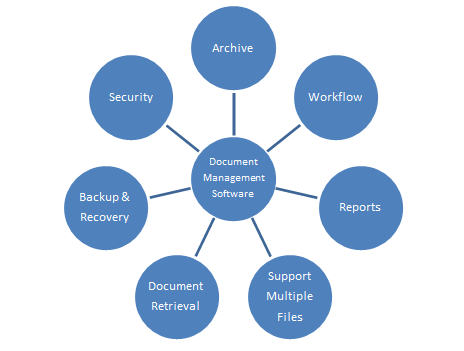
Document management software is application program that is used to generate, store, change, and access documents that is generated digitally. It decreases the use of paper and save our time. We can digitized our data more faster and easily. A document management software (DMS) is a system that is used to receive, track, manage and store documents and reduce paper. Most are capable of keeping the records of various versions created and modified by different user. In case of management of digital documents such system are based on computer programs.
Features of document management software:
• Storage location
• Security and access control
• Indexing and auditing
• Search, retrieval and classification
• Integration with desktop application
13-Enterprise Computing Software:
Enterprise computing software is a type of application programs (an application program is a comprehensive, self-contained program that performs a particular function directly for the user) that is used to run and keep in good condition the records of an organisation. These programs cannot be used by a particular person. It can be run and keep in good condition by a group of people or an organized group of people with a particular purpose. It protects or conceal the large areas. Enterprise computing software also known as enterprise application software (EAS). Enterprise computing software is used to satisfy the needs of an organization rather than individual users. Such organizations include businesses, schools, interest based user groups, clubs, charities, and governments enterprise computing software is an integral part of a (computer-based) information system.

Graphics and Multimedia Software
1-Computer Aided design:
The following are some definitions and examples of computer-aided design.
• Computer-aided design is used to assist in design development, analysis, optimization, and modification.
• CAD software is used to maximize design efficiency and consistency.
• CAD software is used to build production database.
• CAD software is used to enhance documentation-based collaboration.
• CAD refers to the method of creating technical drawings with the help of computer tools.
• CAD is used to draw figures and curves in two-dimensional space, as well as surfaces, slides, and curves in three-dimensional space.
Software for CAD:
• Tinker CAD
• Free CAD
• Blocks CAD
• Creo CAD
• Fusion 360
• Solid works
• Auto CAD
• CATIA
• Open CAD
• Rhino
2-Desktop publishing software:
It is text design programmer that uses various page layout software on laptops and computers. It’s used for print publication and has a lot of visual typography references. If its small-scale or large-scale printing, it necessitates the use of personal computers or WISLWYG web layout apps. IT assists with the design of web content formats and templates. It creates high-resolution text and typography images, as well as printing. It generates high-quality text and typography images as well as printing. It’s used for presentations, business card, detailed kit design, scale show, advertising pieces, and outdoor signage, among other thing paint / image editing software is also used for PDF publication 3.
Examples:
ACI appraisers’ choice
Adobe systems adobe distiller
Adobe systems adobe framework
Adobe systems adobe In design
Adobe systems adobe Page Maker
Antenna house
AT&T Troff
Blumbeg drafting libraries
3-Paint/image Editing software (For the professional)
Paint is image and photo editing software for PCs that run Windows. It features an intuitive and innovative user interface with support for layers, unlimited undo, special effects, and a wide variety of useful and powerful tools. An active and growing online community provides friendly help, tutorials, and plugins.
Purpose of image editing software:
An image editing application for digital photos it is used to crop and touch up photos, as well as organize them into albums and slide shows. Photo editors typically do not have the myriad filters and features of a full-blown image editor such as Adobe’s Photoshop or Corel’s Paint Shop Pro.
As the professional adaptations, personal print software consists many uncomplicated tools which permit the user to draw photos, shapes and other images. Personal image editing software grants the abilities to modify existing photos and graphics and paint software -user can edit the photo directly on the camera
Example:
- Pixel motor
- Inks cape
- Adobe Illustrator
- CorelDraw
- Firework
Types of paint/image software:
- Adobe Light room. It’s impossible to ignore Adobe Light room when talking about the best photo editing software for photographers.
- Skylum Luminar.
- Adobe Photoshop.
- DxO Photo Lab 4.
- ON1 Photo RAW.
- Corel Paint Shop Pro.
- ACDsee Photo Studio Ultimate.
- GIMP
Pixelate
- While it’s only available for Mac, Pixelmator Proincludes many of the advanced features found in Photoshop and usually costs less than $50.
Pixlr
- Like Pixlr X, the full Pixlr Editor is a free application that runs in your web browser. It includes several advanced features and in many ways is similar to Photoshop.
GIMP
- Designed as an open-source alternative to Photoshop, GIMP is free to use on both Windows and Mac. While it’s a powerful application, you may find the interface confusing and difficult to use if you aren’t somewhat familiar with other image editing software.
4-Photo editing software (for professional):
- Photo editing software is used to enhance or manipulate images.
- Specific software’s are used to draw, sketch or paint pictures professionally.
- Photo editing software use cropping, color correction to make a photo look good.
Software by professional:
Professional photo editors mostly use Photoshop. Photoshop is a popular image changing software package. It is widely used by photographers for photo editing (fixing colors, reducing noise, adding effects, fixing brightness/contrast) and by graphic designers. We can make detailed adjustments on images and also make all kind of alternations. Free Photoshop pixels is an alternative software that ha 600 amazing and different effects.
Examples:
- Adobe light room
- Skylum luminar
- Capture one
- ON 1 photo Raw
- Corel paintshop pro
5-Video and Audio editing Software (for the professional)
Video Editing:
Video editing is the process of edit the special effects in video and motion segments production video footage. It is the guidance and arrangement of shots of videos. Video editing used for the formation and show the information about the video e.g., television show and films advertising of video and also for video essays. It has been dramatically standardized in past years by the software of editing available for personal computers.
Professionally video editing software:
Following are most important and common tools or software used for video editing process now a days. Some software was expensive or some are low-cost software.
- Adobe premiere pro
It is used to perform common editing processes to produce high quality videos.
- Adobe premiere elements
It provides option e.g., Quick, Guided and Expert modes. It is basically for beginners.
- Adobe premiere Rush
It is very fast editing tool. It can edit video and publish on social network quickly.
- Final cut pro X (for mac)
It is nonlinear video editing tool. It is easy to learn.
- Filmora (low-cost software)
It allows user to create wonderful videos efficiently using powerful tools.
Audio Editing:
Audio editing is the process of formation in the audio also generate new audio components e.g., alter audio length, speed of audio, volume of audio, also for create new versions, (such as loops). In audio editing process user collect and combine the sounds to make a final sound for motion picture, video games or for television programs. It also removes the unwanted or unsourced data from audio recording.
Professionally Audio editing software:
Following are the commonly used audio editing tools or software for audio editing. Some of audio editing software is free but some are paid.
- Adobe Audition
It is a toolset which have the tools like multitask, waveform and spectral display for create mix or edit or restore content.
- WavePad (for windows and mac)
It is an audio or music editing tool. It helps user to edit or record music, voice or other types of recording.
- Audacity
It is a free application. It used by people for wide range of projects. For creating ringtones or capturing conversations or for record music.
6- Multimedia Authoring Tools
Multimedia Authoring: These are the tools which provide the capability for creating a complete multimedia presentation, including interactive user control, are called authoring tools and programs
Examples: Macromedia , Macromedia Director, Author ware, Quest. One can likewise say that media writing is the making of sight and sound creations, at times called Motion pictures or Introductions.
Authoring system in multimedia:
In sight and sound writing frameworks, mixed media components and occasions are regularly viewed as articles.
- Items exist in a various leveled request of parent and youngster connections. Each article is allocated properties and modifiers. On getting messages, objects perform errands relying upon the properties and modifiers.
Authoring tools capability:
There are following capabilities of Authoring Tools which I mentioned below:
1) Interactivity
2) Playback
3) Editing
4) Programming/ Scripting
5) Cross Platform
6) Internet Playability
7) Delivery/Distribution
8) Project organization
Features of authoring tools:
- Editing and organizing features.
- Programming features.
- Interactivity features.
- Performance tuning and playback features.
- Delivery, cross‐platform, and Internet Playability features.
Editing and organizing features
Composing frameworks incorporate altering devices to make, alter, and convert sight and sound components, for example, movement and video cuts.
- The association, plan, and creation measure for sight and sound includes storyboarding and flowcharting.
- Visual flowcharting or outline office shows project structure at a full scale level.
Programming features
- Visual Programming with symbols or articles is the least difficult and most effortless creating measure.
- Visual authoring tools such as Author Ware and Icon Author are suitable for slide shows and presentations.
Interactivity features:
- Interactivity gives the end user control over the content and flow of information in a project.
- Straightforward fanning is the capacity to go to another part of the media creation.
Types of authoring tools:
1)Card‐ and page‐based tools.
2)Icon‐based, event‐driven tools.
3) Time‐based tools
Card‐ and page‐based authoring systems
Card‐ and page‐based authoring systems provide easy and simple easily understood method for organizing multimedia elements.
It contains media objects such as buttons, text fields, and graphic graphic objects objects.
It provides a facility for linking objects to pages or cards.
Example of authoring tool:
HyperCard (Mac)
Tool Book (Mac/Windows)
Icon‐based, event‐driven tools:
Icon‐based, event‐driven devices give a visual programming way to deal with sort out and present media.
- Sight and sound components and collaboration prompts are coordinated as articles in a flowchart.
- Flowchart can be worked by hauling proper symbols from a library, and afterward adding the substance.
Example
- Author ware (Mac/Windows)
- Icon Author (Windows)
Time‐based authoring tools
- Time‐based tools are best suited for messages with a beginning and end.
- Some time‐based tools facilitate navigation and interactive control.
- Example: Macromedia Director / (Mac/Windows)
7- Web page authoring software:
- A website system allows the creation of web pages like desktop publishing program.it generates required HTML code for the development of different web-pages. This allows to switch in varying degrees between HTML and web page.
- User can create Web Pages, take a print and then save that in HTML and would create an easy and quick web page.
- Web Authoring Tools include MS-Word, WordPerfect and Open Office Witter.
Google Web Designer
It is mostly used by professionals now a day. It’s easy and free to download and use. It is use for web designing with additional features of Prototyping as well. It is mostly used by professionals now days. It’s easy and free to download and use.
- Dreamweaver
- Microsoft Front Page
Learning Tools for Application Software
There are many software’s available for our learning and making our lives easy. Learning an application software is not easy, in order to learn about these applications there are some tools to help us now about the applications.
These are as follows:
1. Online Help
2. Web Based Training
3. Distance Learning
4. E-Learning
1. Online help
Gives its user to sends and receive information to the right people at the right time .it is the more efficient way of presenting and operating to supports its all implementers. There are several benefits of online help that are all achieve us but it should be an effective and well designed online help. These are all follows:
1:User friendly
2:making the application those are used by our daily life
3:superior user productivity
4:low costs of customer support
Online Help systems requires extensive experience in the requisite design and development methodologies as well as the involvement of subject matter experts for the associated product or application.
2. Web based training
Is held with online environment it is commonly used as a virtual training. The current era is a multimedia that are help us to achieve a several chance to gain life hacks ,earn money ,gain popularity and used to our abilities in different activities. There are three main types of web-based training:
1:Synchronous web-based training is most closely related to in-person training.
Asynchronous web-based training is standard in the eLearning realm, as it affords the most flexibility.
3. Distance learning
Distance learning is also known as distance education. It is for those students that could not be physically present at school. According to Traditional approach, this involved correspondence (communication) courses in which the student has to communicate with school through mail. But now by Modern approach, it involved online learning. A distance education can be totally distance, either a mixture of traditional classroom learning and distance learning. Moreover, other terms such as distributed leaning, E-learning, M-learning, Online- learning, virtual class room etc. imply the same idea with distance learning.
Technologies
Internet technologies has allowed different forms of distance learning. Technologies of distance learning has been divided into two approaches delivery.
- Synchronous learning
- Asynchronous learning
• Synchronous learning
According to synchronous learning, all pupils has to present in a virtual class at same time. Mostly it requires a time table.
Examples:
- Web Conferencing
- Video Conferencing
- Educational Television
Instructional Television
• Asynchronous Learning
According to asynchronous all pupils approaches their course materials according to their comfort on their own schedule. It doesn’t requires all pupils to present at same time period. Mail communication is an asynchronous delivery technology, which is the oldest form of distance education.
Examples:
- Message board
- Video and Audio recordings
- Print materials
- Voicemail
- Fax
4. E-Learning
E learning stands for “Electronic Learning”, also known as online learning. The term illustrates that education using electronic media and digital media. “An education system based on equalized teaching but with the help of electronic media is known as E- learning”. Distance learning and e-learning is considered the same idea that’s why synchronous learning and asynchronous learning falls in its types.
Synchronous learning tools:
- Zoom
- Meet
- Classroom
- Microsoft-teams
Asynchronous learning Tools
- Khan Academy
- Coursera
- W3 Schools
- TED ED
- Open Culture
Major Goals of E-learning
When it comes to e-learning there are some major goals to accomplish:
- To enhance the quality of learning and teaching
- To complete the needs of students and to adopt new teaching styles
- Learn advancement and efficiency
- To give learner comfort and accessibility according to their routine.
E-learning Platforms
People can do online course via a wide variety of different platforms such as:
- MOOCS (Massive Online Open Courses) learn on websites as digiskills.pk
- Virtual learning environment (VLE) learn on Blackboard
- Video streaming services such as Youtube
- Virtual instructor- led training (VILT) e.g WebEx or Webiners
- Discussion boards
- Forums
- Podcasts
What is application software?
Application Software:
Definition: “A software which is developed to help the end user to perform specific task is called application software”.
Application software are the software’s that you install in your operating system to perform single or multiple tasks. It is for the benefit of the user. We either install application program or we can also run online. Application software’s are mostly written in high level language.
Functions of Application Software is to perform variety of operation for end user. These functions included manipulating images, creating spreadsheets, writing reports, calculating expenses, developing websites and keeping records.
Application software can also be distinguished on the bases of usage in to the following:
- Database program
- Entertainment software
- Business software
- Educational software
- Computer aided design (CAD) software
Types of Application Software
Different types of Application Software included the following:

Classification of Application Software
It is classified in to two categories as follows
- Customized software
- Package software
Customized Software
The customized software is a type of application software that is originates for some specific customers or companies. This category of application software is grow by single programmer and a group of programmers. It can be varies by the use of software packages develop for markets like commercial off the shelf software’s and existing software’s. The customized software organized for single customer that can helps in the customers expectations. The software is develop in iterative process that are allows the all possible and hidden risks to taken in account. The software development process are involved many more departments such as marketing , engineering , research and managements. Many big companies are used this software for critical tasks . The tasks are involving content management , customer management etc. The major fields of customized software are includes construction , hospitals , educational institutes. In Construction the industries using the customer software for managing projects , for track changes and report progress. The software is depends upon the projects according the needs of projects owner and the team that is designed the trade. The software is helping in team projects and is suitable in constructing processes and challenges. It is suitable in design development, tender calls, document control , change management , and so on. The developer of customer software uses many platforms such as FileMaker Pro to design the software’s in constructions and industries. In Hospitals the customer software is used for keep records of patients and detail of doctors and other staffs. It enables the doctors to transfer the detail of patient via a network . The hospitals are using database that makes the searches more quick and easy. The hospitals are used billing software’s mostly in dispensaries. In Education the software is used to keeping detail of students such as admission detail , result detail , personal detail , and etc. many schools are using the software to keep records of students.
Advantages
The main benefit of customer software is that it is efficient.
- It can provides support to business for particular task and need.
- As it is not suitable for large and complex projects but it is more flexible than spreadsheet software.
- It is constructed by professionals and implemented the functionality.
Disadvantages
The most important disadvantage of customer software is that it is development time and cost.
- In the customer software a business needs to experience the Software Developing Process that may takes more time such as weeks, monthly, and large projects takes years.
- Its cost is very high so it is infeasible for small business.
- The high cost are insignificant in large business.
Package Software
The package software is a also a category of application software that is made for common publics. It helps the public in executing task. The packages software is run by special programmer. It is a collection of programs that is used to perform similar functions and tasks. Such as Microsoft Office including many applications like Excel, Word, and PowerPoint. The package software is also provided audio and video editing software’s which is used to edit audio and video. The packages software is further provides the facility of purchasing software individually. This category of software is cheap then other software programs. The package software is also known as software packages which is develop by computer technicians. It cannot modified until if there is need. If software package are grouped and give solution to public then gives a specific name to it.
Advantages of Package Software
The package software is for horizontal and vertical markets.
- The software package is implemented in less time then the other application software.
- This category of application software is simple to use.
Disadvantages of Packages Software
- Package software not requires design and development team.
- The integration process is difficult.
- The package software is cannot easily modified.
• Various frequently used application software
- Word processing software
- Spreadsheet software
- Presentation software
- Database management
Spreadsheet software
It is a software application capable of organizing and analyzing data in tabular form. The application can provide digital simulation of paper accounting worksheets. They can also have multiple interacting sheets with data represented in text numeric or in graphic form. With these capabilities spreadsheet software has replaced many paper-based systems especially in the business world. Originally developed as an aid for accounting and bookkeeping task spreadsheet are now widely used in other contexts where tabular lists can be used modified and collaborated.
Spreadsheet software is also known as spreadsheet program or spreadsheet application.
Explanation
In comparison to word processors spreadsheet software provides a distinct advantage when working with numbers. Calculations and functionalities are easier to represent in spreadsheets than word processors and thus effective data handling is possible. Spreadsheet software also provides flexible presentation of data. This software is capable of interacting with databases can populate fields and can also help in automation of data creation and modification. Spreadsheet software can be shared both online and offline and allows for easy collaboration.
Data in spreadsheet is represented by cells organized as arrows and columns and can be text or numeric. Features like conditional expressions functions to operate on text and numbers also available in spreadsheets. Calculations can be automated and spreadsheets are generally easier to use than other data processing applications.
However limitations of spreadsheet software include difficulty in identifying data errors restriction of finite number of records inefficient in handling large amounts of text inability to scale for access and manipulating large data volumes inability to create reports as in case of databases high data storage requirement and unavailability of certain querying and sorting techniques.
Example
• Google sheets (online – free)
• iWork numbers – Apple office suite
• LibreOffice -> Calc (free)
• Lotus 1-2-3 (discontinued)
• Lotus Symphony – spreadsheets
• Microsoft Excel
• OpenOffice -> Calc(free)
• VisiCalc (discontinued)
Presentation Software
Presentation software is a category of application software that is specifically designed to allow users to create a presentation of idea by stringing together text images and audio/video. The presentation tells a story or supports speech or the presentation of information. Presentation software can be divided into business presentation software and general multimedia authoring software but most presentations software already provides tools that allow users to create both professional looking business presentations and general multimedia presentations. Presentation software is also known as presentation program.
Explanation
Presentation software is generally used for creating slideshows that display information. The software has three main components:
• Text editor for inputting and formatting text
• Facility for inserting graphics and other multimedia files
• Slideshow system for displaying the content
Before the advent of presentation software presenters commonly used an easel to hold posters that contained illustrations to support the report or a slide projector to display graphics printed on transparent plastic film. These methods are inflexible. For example; changing small thins in the printed materials used could result in mismatched graphics or illustrations sometimes requiring redoing the entire thing. With presentation software not only authoring but also correcting illustrations can be done easily. Microsoft’s PowerPoint and Apple’s Keynote are two of the best-known commercial presentation software applications in the market.
Example
• Google slides (Web, IOS, Android )
• Zoho show
• Keynote
• Haiku deck
• Slidedog
• CustomShow
Word Processor
A word processor is a device or computer program that provides for input, editing, formatting, and output of text, often with some additional features.Early word processors were stand-alone devices dedicated to the function, but current word processors are word processor programs running on general purpose computers.
Function
The functions of a word processor program fall somewhere between those of a simple text editor and a fully functioned desktop publishing program. However, the distinctions between these three have changed over time and were unclear after 2010.
Background
Word processors did not develop out of computer technology. Rather, they evolved from mechanical machines and only later did they merge with the computer field. The history of word processing is the story of the gradual automation of the physical aspects of writing and editing, and then to the refinement of the technology to make it available to corporations and Individuals. The term word processing appeared in American offices in early 1970s centered on the idea of streamlining the work to typists, but the meaning soon shifted toward the automation of the whole editing cycle. At first, the designers of word processing systems combined existing technologies with emerging ones to develop stand-alone equipment, creating a new business distinct from the emerging world of the personal computer. The concept of word processing arose from the more general data processing, which since the 1950s had been the application of computers to business administration.
Mechanical word processing
The first word processing device (a “Machine for Transcribing Letters” that appears to have been similar to a typewriter) was patented by Henry Mill for a machine that was capable of “writing so clearly and accurately you could not distinguish it from a printing press”. More than a century later, another patent appeared in the name of William Austin Burt for the typographer. In the late 19th century, Christopher Latham Sholes created the first recognizable typewriter that although it was a large size, which was described as a “literary piano”
Electromechanical and electronic word processing
By the late 1960s, IBM had developed the IBM MT/ST (Magnetic Tape/Selectric Typewriter). This was a model of the IBM Selectric typewriter from the earlier part of this decade, but it came built into its own desk, integrated with magnetic tape recording and playback facilities along with controls and a bank of electrical relays. The MT/ST automated word wrap, but it had no screen. This device allowed a user to rewrite text that had been written on another tape, and it also allowed limited collaboration in the sense that a user could send the tape to another person to let them edit the document or make a copy. It was a revolution for the word processing industry. In 1969, the tapes were replaced by magnetic cards. These memory cards were inserted into an extra device that accompanied the MT/ST, able to read and record users’ work. In the early 1970s, word processing began to slowly shift from glorified typewriters augmented with electronic features to become fully computer-based (although only with single-purpose hardware) with the development of several innovations. Just before the arrival of the personal computer (PC), IBM developed the floppy disk. In the early 1970s, the first word-processing systems appeared which allowed display and editing of documents on CRT screens. During this era, these early stand-alone word processing systems were designed, built, and marketed by several pioneering companies. Linolex Systems was founded in 1970 by James Lincoln and Robert Oleksiak. Linolex based its technology on microprocessors, floppy drives and software. It was a computer-based system for application in the word processing businesses and it sold systems through its own sales force. With a base of installed systems in over 500 sites, Linolex Systems sold 3 million units in 1975 — a year before the Apple computer was released.
Database Management
Database Management, allows a person to organize, store and retrieve data from a computer. Database Management can also describe, the data storage, operations and security practices of a Database Administrator (DBA), throughout the life cycle of the data. Managing a database involves designing, implementing and supporting stored data, to maximize its value. Database Management Systems, according to the DAMA DMBOK, include various types:
• Centralized
all the data lives in one system in one place. All users come to that one system to access the data.
• Distributed
Data resides over a variety of nodes, making quick access possible. “Rather than rely on hardware to deliver high-availability, the Database Management software is designed to replicate data amongst the servers” allowing it to detect and handle failures.
• Federated
Provisions data without additional persistence or duplication of source data. It maps multiple autonomous databases into one large object. This kind of Database Architecture is best for heterogenous and distributed integration projects. Federated Databases can be categorized as:
• Loosely Coupled: Component Databases construct their own federated schema and typically requires accessing other component database systems through a multi-database language.
• Tightly Coupled: Component systems use independent processes to construct and publish into an integrated federal schema.
• Blockchain
A type of federated database system used to securely manage financial and other types of transactions.
Other Definitions of Database Management Include
A “product used for storage and organization of data that typically has defined formats and structures”. Database management is categorized by their basic
• structures, to some extent, by their use or deployment.” (Gartner)
• “Administration tasks pertaining to managing records, storage space and backups.” (Microsoft Technet)
• “A computerized data-keeping system. Users of the system are given facilities to perform several kinds of operations on such a system for either manipulation of the data in the database or the management of the database structure itself.” (IBM)
• “Different Data Models currently used to structure the logical view of the database: relational, hierarchical and network.” (Department of Computer Sciences, University of Wisconsin-Madison)
• Processes around “Sharing, storing, protecting and retrieving an ever-increasing amount of data.” (AICPA)
• “The monitoring, administration and maintenance of databases and database groups across an enterprise.” (Oracle)
Businesses Need Database Management to
• Run business operations.
• Organize and track customers, inventory, and employees.
• Ensure adequate query performance.
• Keep up with “paperless” consumer demands.
• Store data of distinct types.
• Automate processes.
Management System (DBMS)
Over time, the models for database management systems have changed considerably. This is a key part of understanding how various DBMS options work. The earliest types of database management systems consisted mainly of hierarchy and network models.
• The hierarchy model is one where each node or component has a child/parent relationship with one other node or component.
• In the network model, the difference is that a single component can have multiple relationships – think of this as a single node being able to “multicast” connections.
Other types of DBMS models include a graph database model, where graph models are used for semantic queries, and an entity-relational model. These offer further alternatives to traditional relational database design. Some of the newest types of DBMS can be used where a data center may have a wide disparity of differently formatted or relatively unformatted or “raw” data to work with, where records are not normalized in the conventional way. This and other types of advances have made the world of the DBMS more complex, and have heightened the value of seasoned DB engineers and administrators for modern systems.
Software for Home, Personal, and Educational Use
There are various Software that are specifically designed for home, personal and educational purposes. These are often
1. Personal Finance Software
Personal Financial Software is basically a finance software which is designed for small business or home users that assist them to balance their expenses, earnings, checkbooks, pay bills, and to structure their budget and evaluate their financial plans. This Financial Software helps to decide where, and for purpose, you are going to spend your money, by this you can manage your finance. It can also create reports for the person to show them their financial transactions in various styles.
Examples of Personal Finance Software
Microsoft Money Sunset Deluxe
Quicken
Mint
Personal Capital
Tiller Money
YNAB
Buddi
2. Legal Software
Legal Software helps individuals, families and small businesses in the preparation of legal documents. It provides different documents like, selling, renting, and buying property, estate planning, divorce and marriage, and preparing a will or living trust. By getting answers of many questions from the user, it generates a documents with user’s specific needs. When the legal document is created, now the user can fit the paper work with the appropriate office.
Examples of Legal Software are:
TimeSolv
MyCase
CosmoLex
Clio
PracticePanther
Athennian
Bill4Time
Legal Files
3. Tax Preparation Software
Tax Preparation Software is available as package software and it is also available as web applications, it can guide individuals through the methods of filling taxes. These software predicts the tax responsibilities and also offer money saving tips, which are designed to lower your tax bills. When it investigates many important queries from the user and complete the basic form, it analyze your tax form to search for the potential errors and golden opportunities. When it completes, you can do necessary paperwork. Taxpayers can file their tax returns online as an alternative of mailing form through postal services.
Examples of Tax Preparation Software
E-file
Liberty Tax
eSmart Tax
Community Tax
E-file
TaxAct
TurboTax
Jackson Hewitt
EzTaxReturn
4. Desktop Publishing software
Desktop Publishing is a personal computer or computer workstation.
MS Word Family
Web designing
Computer animation
Graphic Designing
Desktop publishing refer to use software to create documentation for publication. Graphic design is a boarder field that include desktop publishing skills, but also looking at the bigger picture of art and design. Desktop publishing refer to the process of producing publication’s by designing their text and graphic layout using special desktop publishing software installed on personal computers. The text and graphical object can be inserted, edited, formatted and printed.
Example of desktop publication software are:
CorelDraw
Adobe Photoshop
Adobe illustrator
Adobe InDesign
Microsoft publisher
Affinity publisher
Infogram
5. Paint /Image Editing Software
An image editing software found on all windows in computer is Microsoft Paint, you can do basic image correction like crop an image, add text on image, change the image size and colors of image.
Image Editing Software:
• Photoshop
• Pixelmator
• Inkscape
• Fireworks
• GIMP (GNU Image manipulation program)
6. Photo Editing and photo Management software
Photo editing software are used to enhance digital images while photo management software are comprehensive program that organize digital photos. Companies with large image libraries use these software which making them easy to share and increase their productivity.
Photo editing and photo management software:
• Adobe Photoshop
• Adobe Photoshop Elements
• Adobe lightroom classic
• Dxo Photolab
7. Clip Art / Image Gallery
Clip art/ image gallery is present in application software which is a collection of clip art and photos, these programs also have links to other websites having additional clips. One can also purchase this clip art / image gallery software having thousands and millions of images. Many clip art / image gallery software also provides different videos, audios, fonts and animations clips.
Example for Clip Art/Image Gallery Software:
• Adobe Illustrator
• Edraw
• Art Explosion
• SmartsysSoft Label Maker
• PhoXo
• Minishowcase
• Mosiac
• Ajax Photo Gallery
• Encryption clip art
• AutoViewer
8. Video and Audio Editing Software (For Personal Use)
These Video and Audio editing software gives an easy-to-use interface with a lot of features to meet the needs of individuals and small businesses user. These are very easy to edit small scale movie making. It allows the user to edit videos, modify videos, music and different type of audio to the video, and can share their videos on the web. Some operating systems provide already installed video and audio editing software.
Example for Video Editing Software:
• Adobe Premiere Pro
• CyberLink PowerDirector
• Final Cut Pro X
• Filmora
• Blender
• Lightworks
• Shotcut
• iMovie
• Openshot
Example for Audio Editing Software:
• Adobe Audition
• Logic Pro X
• Ableton Live
• Audacity
• Studio One
• FL Studio
• Ableton Live
9. Home Design / Landscaping Software
Home owners can use this home design/landscaping software that help then to design, improvement and remodeling of a house, or a landscape. These software have various pre-drawn plans that can be customized according to their choice. These hone design/landscaping software show the modifications made by user and allow them to preview proposed modifications according to their choice. Many home design/landscaping software provides list of materials and cost according to their quantities for the whole project.
Examples for Home Design / Landscaping Software:
• SketchUp Free
• SmartDraw
• Floorplanner
• HomeByMe
• PRO Landscape Home
• Plan-a-Garden
• Arborgold
• Home Outside
10. Travel and mapping software
Travel and mapping software allows different kinds of users to take maps, figure out its route directions, and also determine points of interest. Using these software users can view maps by just checking out an address, their phone number, ot the other places like different restaurants, petrol stations and historical sites. This software often provides directions towards destination point. Most of the programs also allow us to download the construction reports, calculate the total mileage, time and the expenses also. Many of these software are compatible with smart phones and other portable media players. Navigation devices in vehicles also contain mapping software. These are available on both as mobile application and web application.
Examples of mapping software are:
• Road triggers
• Google Maps
• Trip line
• Furkot
11. Reference and educational software
Reference software provides beneficial information for everyone. These software is resembles to educational software but is usually grouped only by subject. They has less features as compared to educational software. This sort of software usually consists of an outsized informational database. Reference software has an interface that gives basis and search functions for direct access to the knowledge and information. Some popular reference software includes encyclopedias, dictionaries and health/medical guides.
Examples of reference software are given below:
• Encyclopedia Britannica
• Wikipedia.com
• www.encyclopedia.com
Educational software are the software that teaches a selected skill. These software exists for about all subjects from learning the way to prepare any project. From primary to college learners use educational software to assist them with subjects. Educational software are often classified on different levels such as:
- Class
- Age level
- Particular subject
Educational software often includes game and other activities to form the training more fun and easier. Most software uses computer-based training approach. This is a sort training during which students are often taught by completing exercises with instructional software. They are typically consists of self-directed. Some educational software includes:
• www.superkids.com
• www.funschool.com
12. Entertainment software
Entertainment software are used in PCs, mobile devices. These software includes interactive games, videos, and some other programs that are specifically designed to support a hobby or to provide entertainment and enjoyment. For example, we might use entertainment software to play games individually or online, make a family group, or fly an aircraft jet. Many of game are available as Web applications, allowing user to play as single player and with other players also. Many forms of entertainment software can be informative or educational.
Some examples of entertainment software are:
• Authoring software
• Graphic software
• Desktop software
• Educational games
• Reference software